 Hearsay
 Link fields (sometimes called hidden fields) carry information you already have, such as an order number, a plan or a customer's name, into the survey through its link. Customers don't type them; they're saved with each response so you can filter by them later.
Add a link field
- In the editor, under Link fields, choose Add link field.
- Enter the Name in link: lowercase, up to 32 characters, such as
orderorplan. - Optionally add a Label (shown in results) and a Format: Any text, Email or Number. Values that don't match the format are dropped.
- Tick Personal data for anything that identifies a person, like an email address.
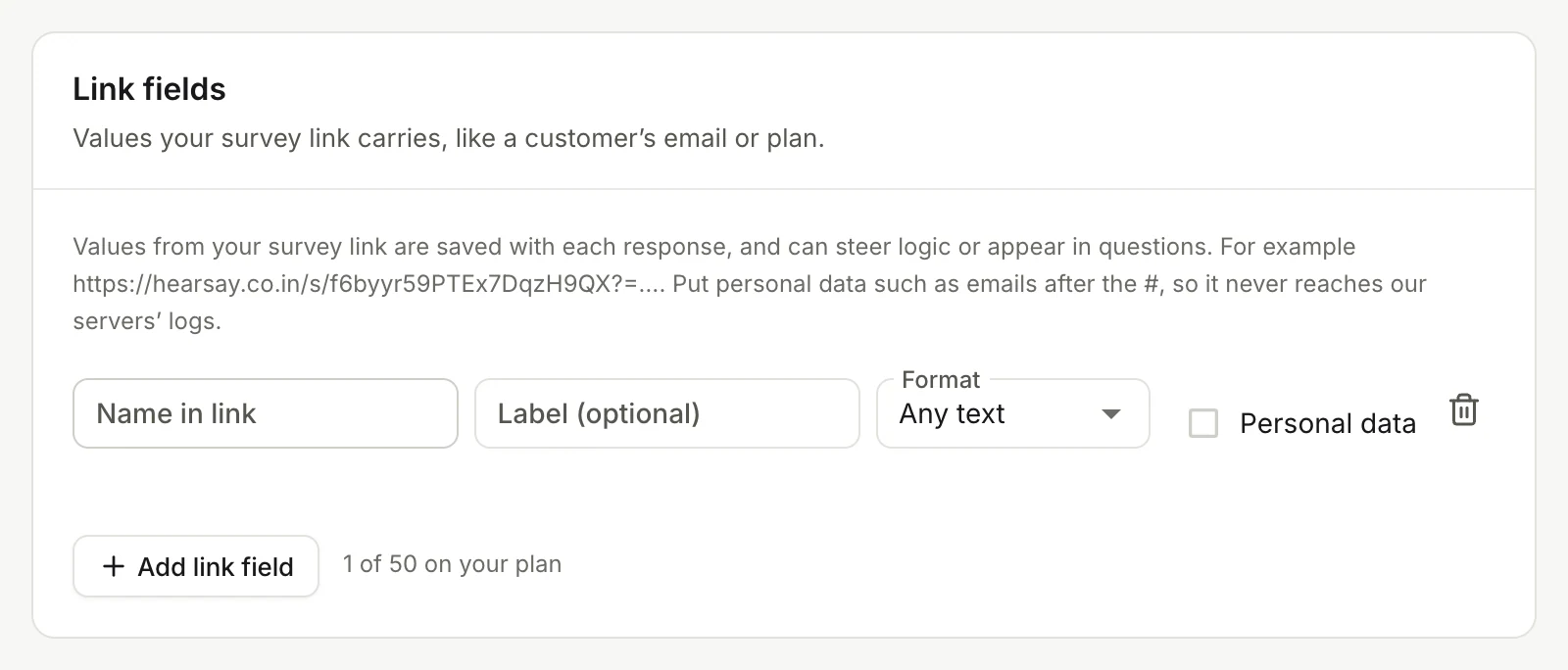
The names source, ref and lang, and anything starting with hs_, are used by Hearsay itself. How many link fields a survey can have depends on the plan: 5 on Free, 20 on Pro, 50 on Business and Enterprise.
Put values in the link
Add them to the survey link like this:
https://hearsay.co.in/s/SURVEY_ID?plan=pro#email=asha@example.com
Put personal data, like email addresses, after the #. That part of a link isn't sent to servers along the way or kept in their logs. Hearsay reads values from both parts.
To build these links for each customer automatically from Shopify, Klaviyo or Mailchimp, see Personalised links.
Where link values show up
- In each response's details and in CSV and Excel exports, personal fields included.
- In filters, cross-tabs and the Link fields chart. Fields marked Personal data are left out of these.
- In webhooks, under
response.hidden.
Piping
Piping puts an earlier answer or a link value into a question's wording, like "Thanks, Asha! What did you think of your latte?"
- In the question text, click the
{}button (Insert an answer or link field). - Pick an answer under Answers or a field under Link fields.
Hearsay inserts a token such as {{hidden:name}}. Add a fallback for when there's no value: {{hidden:name|friend}} shows "friend".
Answers can only be piped from earlier pages, so put the question you pipe from on a page before the one that uses it. Matrix answers can't be piped, and the survey title can't contain tokens.