 Hearsay
 A workspace holds your surveys, responses, brands and coupons. Use one workspace per business. The plan belongs to the workspace and covers everyone in it, with no per-user fees, and usage such as responses and coupons is counted across the whole workspace.
You can belong to more than one workspace, for example your own business and a client's. Each has its own plan, team and surveys, and nothing is shared between them.
Set up your first workspace
The first time you sign in, Hearsay asks you to Set up your workspace. See Sign up and set up your workspace for each field.
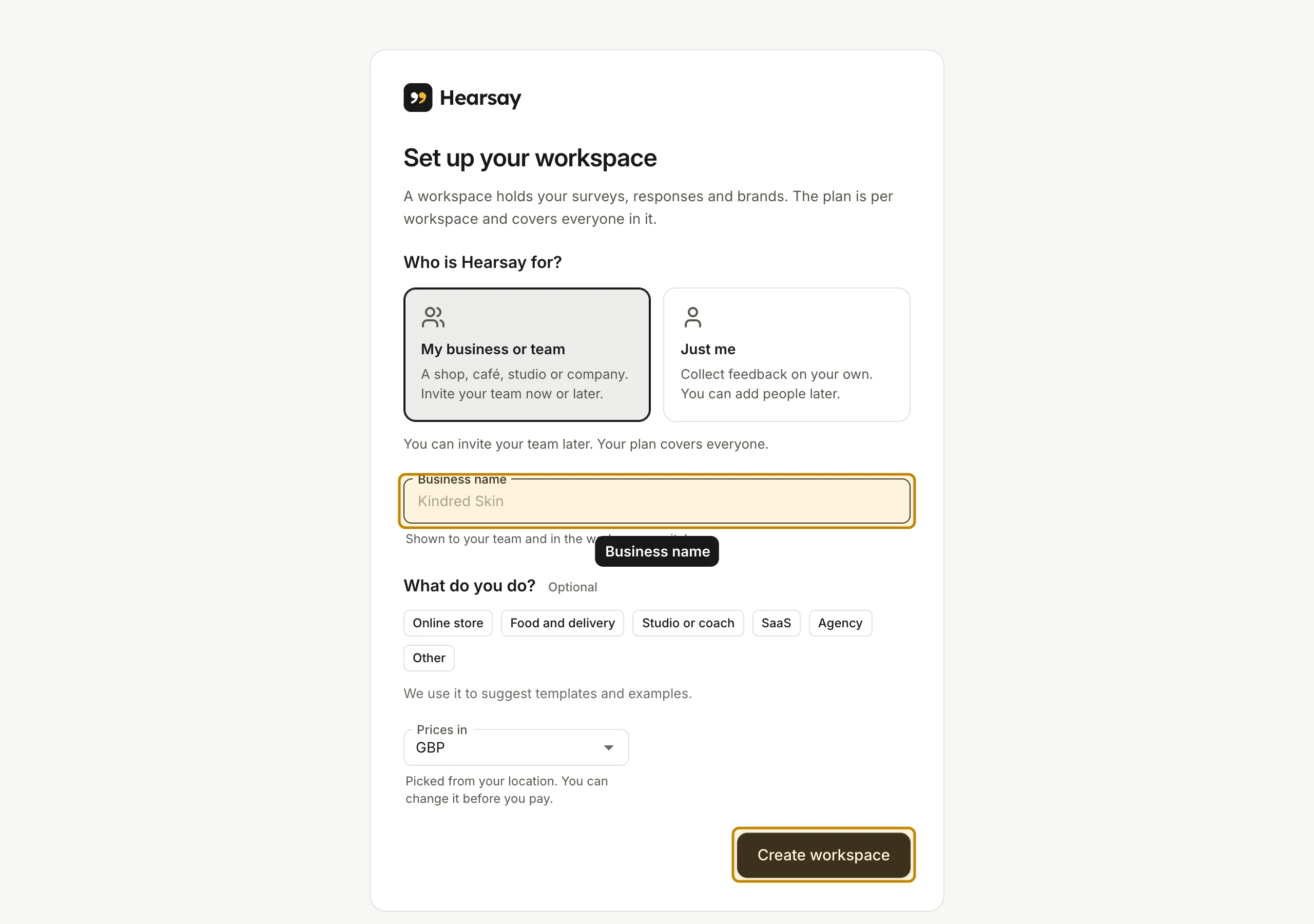
If you came from a Pro or Business button on our pricing page, the workspace starts a 14-day free trial of that plan. Otherwise it starts on Free. See The 14-day free trial.
Invited to someone else's workspace? You don't need to set one up: accept the invite and you join theirs. See Accept an invite.
Workspace and team
In the sidebar, under Workspace, choose Workspace and team.
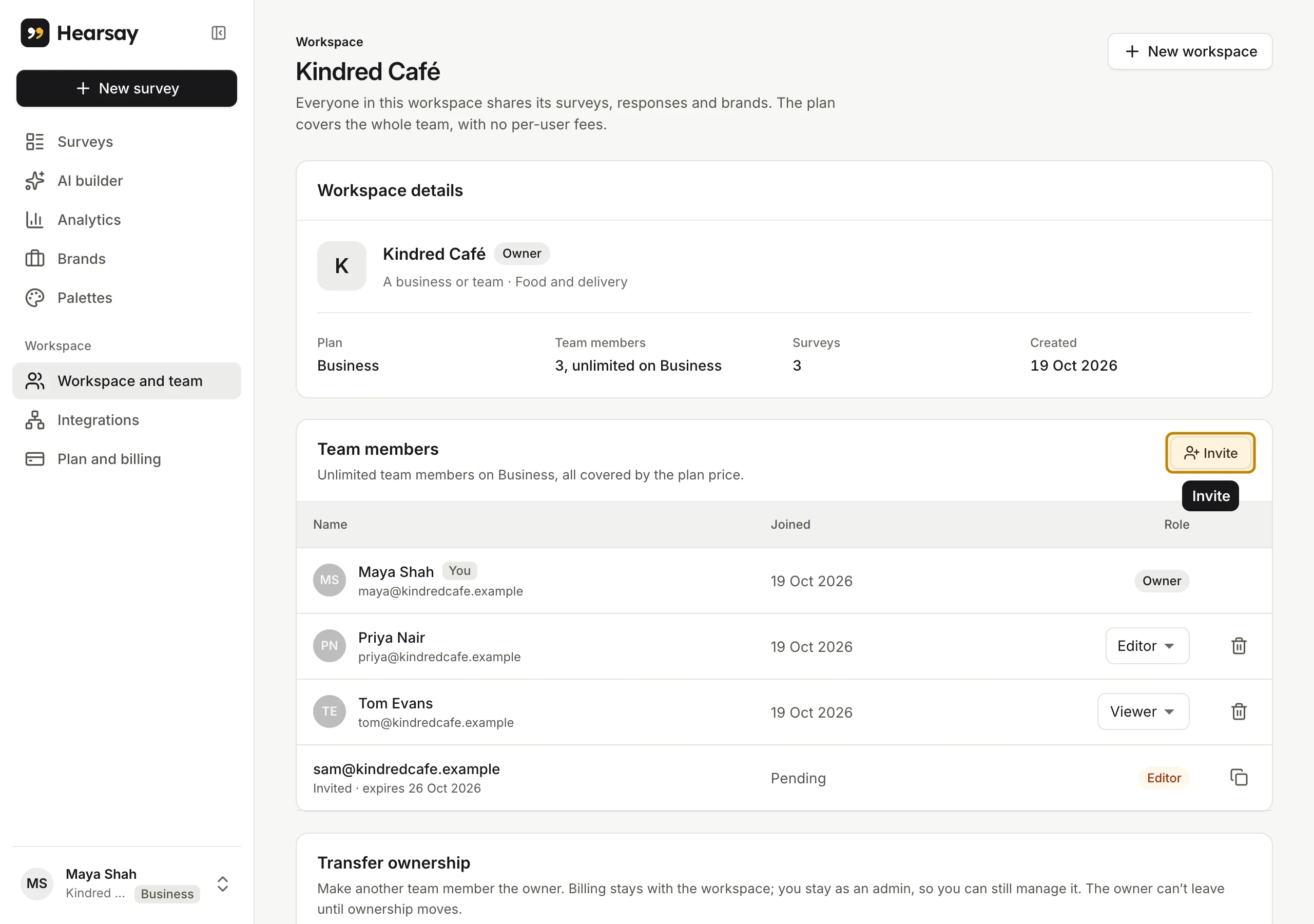
Workspace details shows:
- the workspace's name, your role in it, and whether it's for A business or team or Just me, with what you do;
- Plan: the plan it's on;
- Team members: how many people are in it, out of how many the plan includes;
- Surveys: how many it has;
- Created: when it was set up.
Below that are your Team members. See Invite your team.
Create another workspace
- Click your name at the bottom of the sidebar and choose New workspace. Or choose New workspace on the Workspace and team page.
- Fill in the same details as when you signed up.
- Choose Create workspace.
Hearsay opens the new workspace straight away. You're its owner.
It starts on a 14-day Pro trial if you haven't had a trial yet. Everyone gets one trial, across all their workspaces, so if you've used yours it starts on Free. The dialog tells you which before you create it.
You can belong to at most 20 workspaces, counting ones you're paused in. Past that, Hearsay says You belong to the most workspaces one person can. Leave one to create another.
Switch workspaces
Click your name at the bottom of the sidebar. Under Workspaces, choose the one you want. Hearsay opens its Surveys page.
The list only appears once you belong to more than one workspace. The name under yours at the bottom of the sidebar is the workspace you have open, with its plan.
Rename or change a workspace
Once a workspace is created, its name and Who is Hearsay for? and What do you do? answers can't be changed in Hearsay. If you need one changed, write to support@hearsay.co.in.
The Prices in currency you chose is remembered in your browser, and Plan and billing starts with it. Owners and admins can change it there until the first payment. See Upgrade, switch or move to Free.
Delete a workspace
There's no button to delete a workspace. Write to support@hearsay.co.in from the owner's email address. To stop paying for it, move it to Free; see Upgrade, switch or move to Free.