 Hearsay
 Pick a question's type from the menu next to its text. Types are grouped into Text, Choice, Scale, Details and Layout.
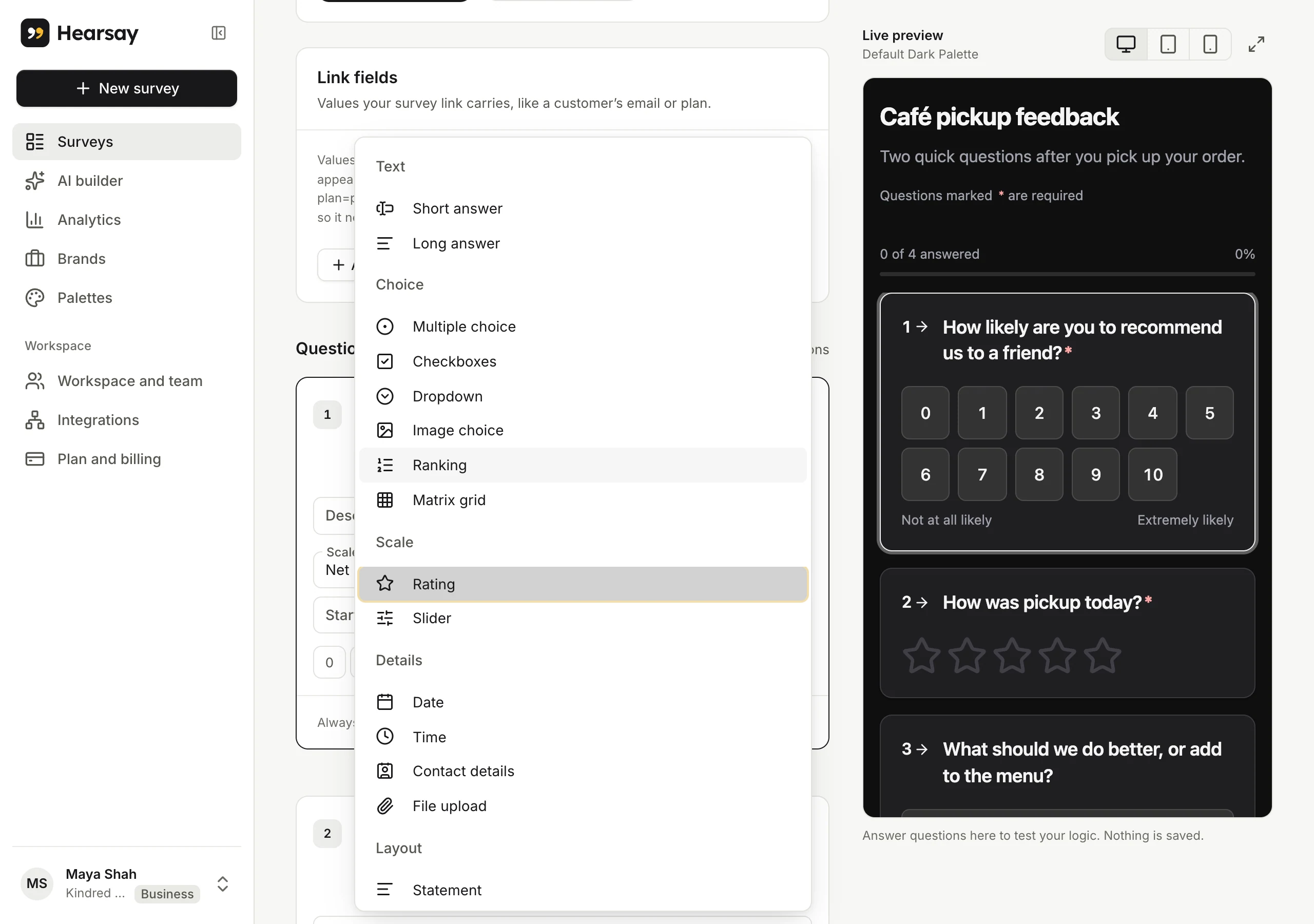
Text
| Type | Use it for |
|---|---|
| Short answer | A word or a line: a name, an order number. |
| Long answer | Comments in their own words: "What could we do better?" |
Choice
| Type | Use it for | Options |
|---|---|---|
| Multiple choice | One answer from a list | Options: choose Add option or press Enter in an option to add the next |
| Checkboxes | Any number of answers from a list | Same as multiple choice |
| Dropdown | One answer from a long list | Same as multiple choice |
| Ranking | Putting options in order | At least 2 options |
| Image choice | Picking from pictures, like dishes or designs | 2 to 20 images, each with its own label; Let customers pick more than one |
| Matrix grid | Rating several things on the same scale | Rows (the statements, up to 50) and Columns (the scale, up to 20) |
Choice questions (except image choice) can Shuffle options for each person, so the order doesn't sway answers. Use Keep in place to pin the last one or two options, like "Other" or "None of these". Shuffling is on Pro and above.
Image choice takes JPEG, PNG, WebP or GIF images up to 20 MB each; Hearsay resizes them. Save the survey once before adding images.
Scale
Rating has six scales:
| Scale | Range | Results show |
|---|---|---|
| Stars | 3 to 10 stars | Average out of the number of stars |
| Likert scale, 1 to 7 | 1 to 7 | Average out of 7 |
| Net Promoter Score, 0 to 10 | 0 to 10 | NPS, and the share of promoters, passives and detractors |
| CSAT (satisfaction), 1 to 5 | 1 to 5 | Share satisfied (4 or 5) and the average |
| CES (effort), 1 to 7 | 1 to 7 | Average effort score and the share who found it easy |
| Custom range | From 0 or 1, to 2–10 | Average |
Add a Start label and End label to explain the ends of the scale, such as "Not at all likely" and "Extremely likely".
Slider lets customers drag to a number. Set the Minimum, Maximum, Step and an optional Unit shown before or after the number (like ₹ or %), up to 200 steps.
Details
| Type | Use it for | Options |
|---|---|---|
| Date | A date, like a visit or a delivery | – |
| Time | A time of day | – |
| Contact details | Name, email and more, in one question | Fields to collect: Full name, Email address, Phone number, Company or organization, Job title, Address, each optionally required |
| File upload | Photos of a damaged parcel, receipts, documents | Accepted files (images, PDFs, documents, spreadsheets, audio, video), Files per answer (1 to 5) and Largest file |
File upload is on Pro and above. The largest file allowed depends on your plan: 10 MB on Pro, 25 MB on Business, 100 MB on Enterprise. See Plans and what's included.
Layout
Statement shows a Heading, optional text and an optional image, with nothing to answer. Use it to introduce a section or say thanks before a final question.
Changing a question's type
You can change the type at any time; Hearsay keeps the question text. Results already collected stay with the question.