 Hearsay
 Everything in Hearsay starts from the sidebar on the left.
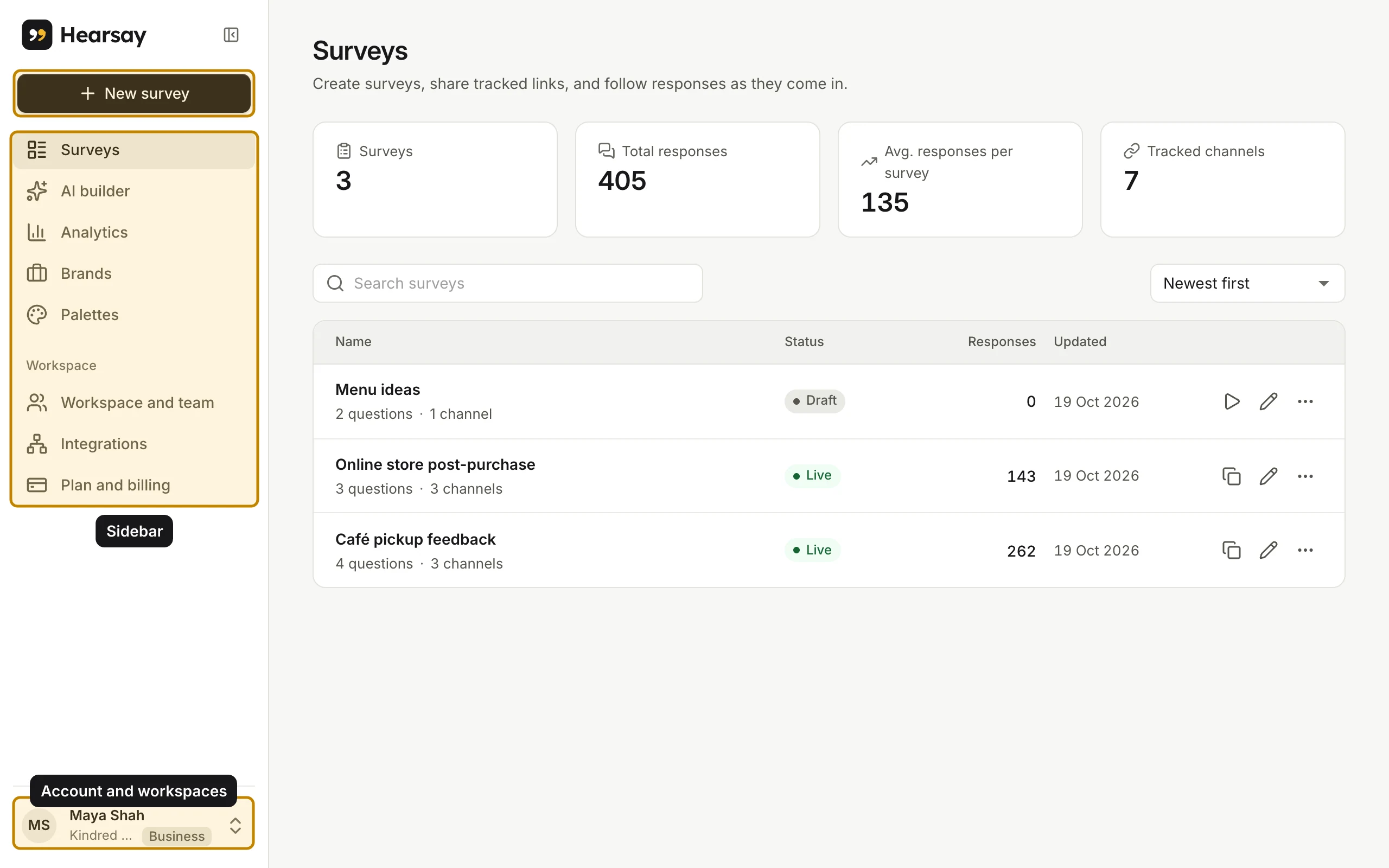
The sidebar
- New survey: start a survey with AI, from a template or from scratch. See Three ways to start a survey.
- Surveys: every survey in the workspace, with its status, response count and the date it last changed. Search by name, or sort with the menu on the right.
- AI builder: chat with AI to draft or change a survey. See Build a survey with AI.
- Analytics: results for any survey. See Read your results.
- Brands and Palettes: your logos, colours and default coupon details. See Brands, palettes and logos.
- Under Workspace:
- Workspace and team: the workspace's details and your team. See Workspaces.
- Integrations: AI assistants and webhooks. See Use Hearsay from Claude or ChatGPT and Webhooks.
- Plan and billing: your plan, usage this month and payments. See Upgrade, switch or move to Free.
To get more room, collapse the sidebar with the button next to the Hearsay logo.
The survey menu
Each row on the Surveys page has a More actions menu (the three dots) with Publish, Close to new responses or Reopen, Share and channels, Edit, Preview, Analytics, Rewards and coupons and Delete.
Your account menu
Your name, workspace and plan sit at the bottom of the sidebar. Click them to:
- switch between Workspaces, if you belong to more than one;
- create a New workspace;
- open your Profile or Plan and billing;
- change the Theme to Light, System or Dark;
- Sign out.