 Hearsay
 Short surveys work best on one page. For longer ones, pages and logic keep each customer's path short.
Pages
Choose Add page break between two questions to start a new page. Each page can have a Page title (optional) and a Page description (optional). To merge pages again, choose Remove page break.
A survey can have up to 50 pages and 200 questions. On Pro and above, a page can Shuffle question order for each person.
Show a question only when it applies
- On the question, choose Add logic. (The first question is Always shown first.)
- Turn on Only show this question conditionally.
- Under Match when, choose All conditions match or Any condition matches.
- For each condition, pick the Question or field, the Rule and the Value or Option. Choose Add condition for more.
- Close the dialog. The question shows Shown only if all of these match (or any).
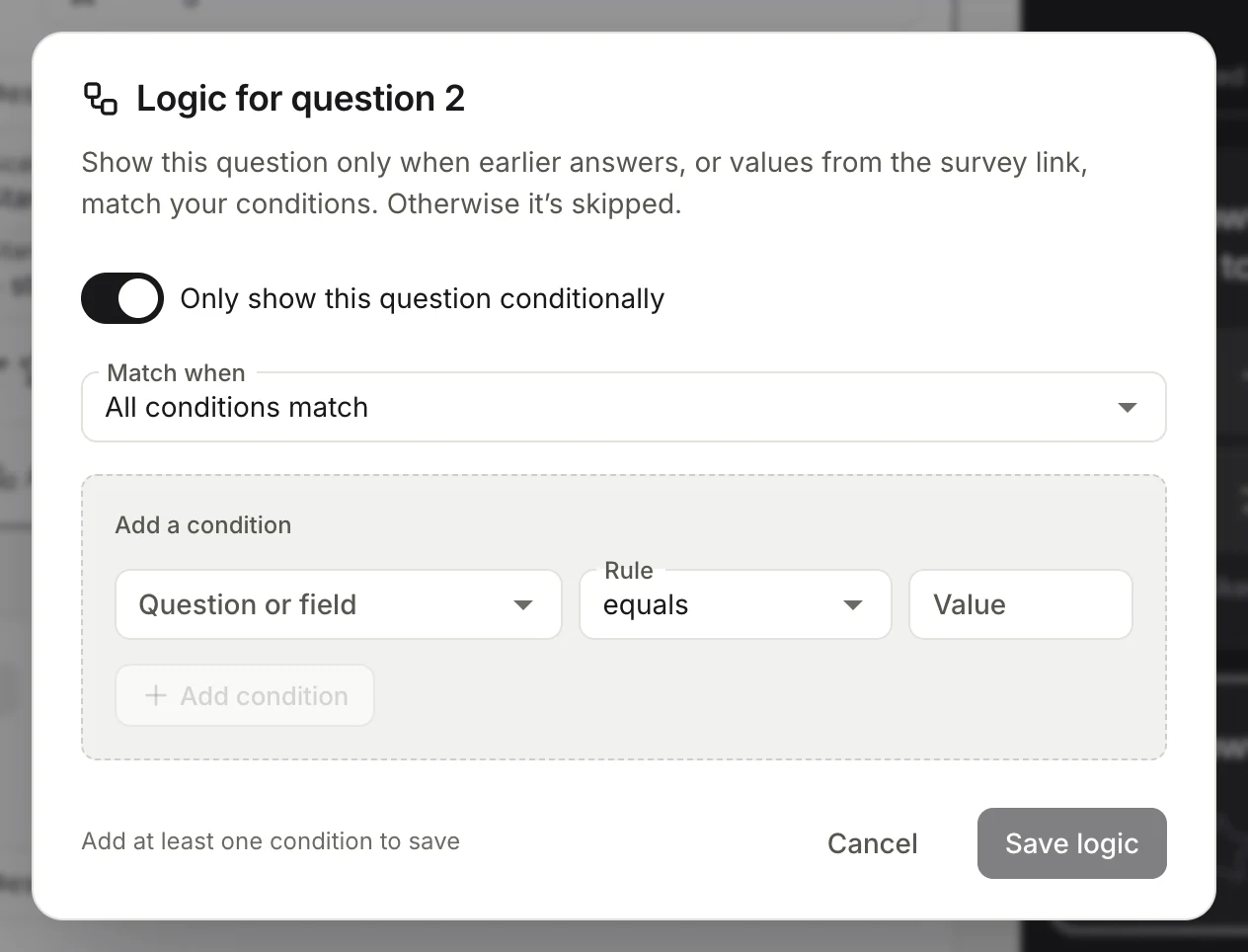
Conditions can use answers to earlier questions, link fields and the link's channel (Link source). Rules include equals, does not equal, contains, does not contain, is greater than, is less than, is at least and is at most; choice questions offer equals and does not equal.
Logic can use multiple choice, checkbox, dropdown and rating questions, and a question can only depend on questions before it.
Example: show "What went wrong?" only when the NPS answer is at most 6.
Skip to a later page
On a page, choose Add logic to set what happens After page N:
- Choose Add rule, set its conditions, and pick where it goes with Then go to: a later page, or an end screen.
- Set Otherwise go to for everyone else (by default, the next page).
Rules are checked in order and the first match wins. Jumps only go forward.
End screens
Without end screens, customers see a standard thank-you. Add your own under End screens → Add end screen (up to 20).
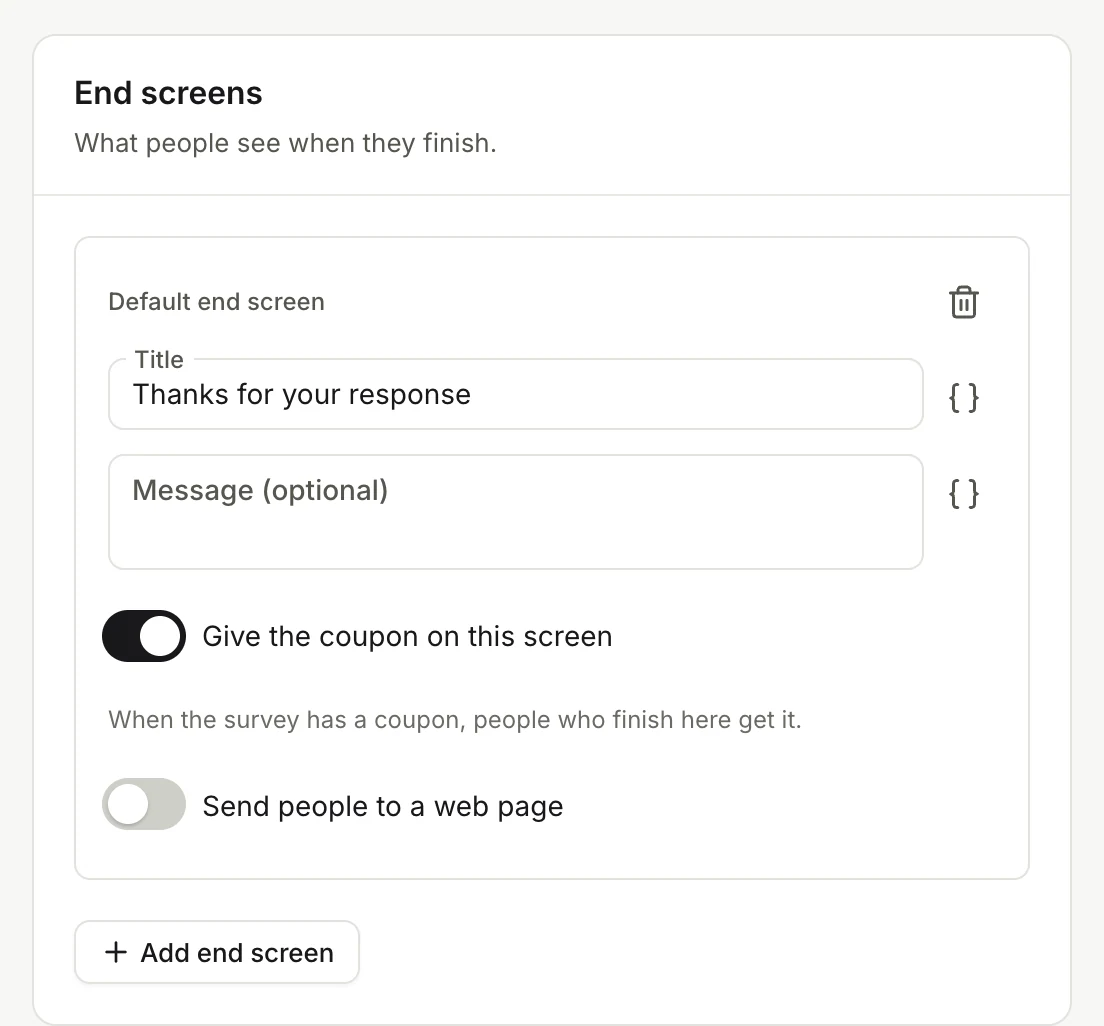
Each end screen has a Title, an optional Message and Give the coupon on this screen. Turn that off for people who shouldn't get a coupon, for example those who say they aren't customers. The first one is the Default end screen; send people to the others with page logic.
Send people to a web page
On Pro and above, an end screen can Send people to a web page: enter the Web address (https only) and Button text, and choose whether to Go there automatically. Customers who just got a coupon always see a button instead, so they don't lose their code.
What stops a survey from publishing
Hearsay checks your logic when you publish and lists anything to fix, such as a page that jumps backwards, a question that depends on a later one, or a condition that uses an option you've since deleted. See Preview, publish and change a live survey.