 Hearsay
 The editor has your survey on the left and a Live preview on the right. Changes save automatically: the header says Saving… and then Saved.
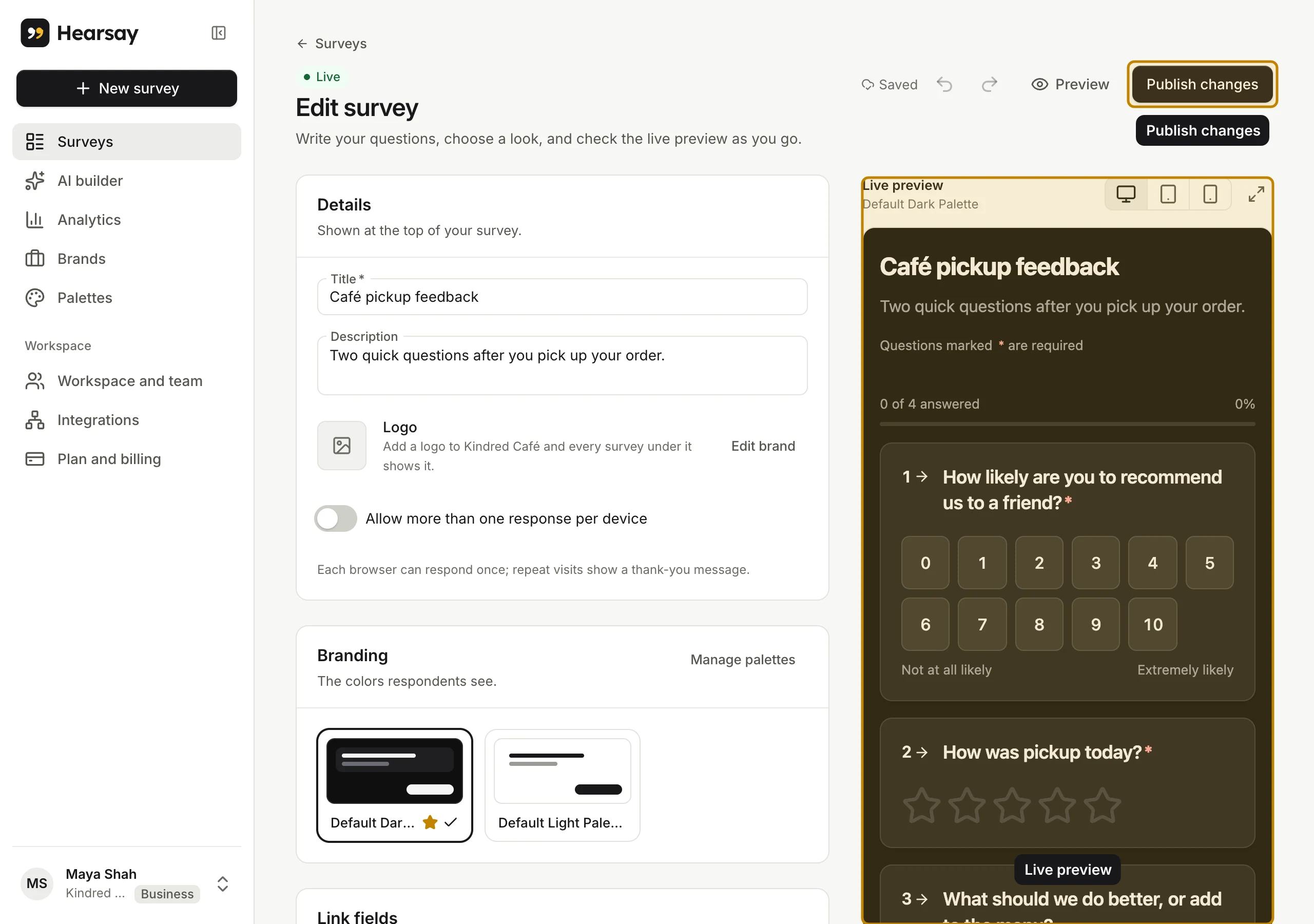
The sections
The editor runs top to bottom:
- Details: the Title customers see, an optional Description, the brand and logo (with Edit brand), and Allow more than one response per device (see below).
- Branding: pick a colour palette, or Manage palettes. See Brands, palettes and logos.
- Link fields: values you pass in the survey link, like an order number. See Link fields and piping.
- Questions: your questions, then Add question.
- End screens: what people see when they finish. See Pages, logic and end screens.
Work with questions
- Add a question: choose Add question at the bottom of the list, then pick its type from the menu next to the question text. See Question types.
- Write it: type the Question, and optionally a Description (optional) under it.
- Make it required: turn on Required. Customers can't continue without answering. Statements can't be required.
- Reorder: use Move up and Move down on the question.
- Show it only sometimes: choose Add logic. See Pages, logic and end screens.
- Delete it: choose Delete question.
- Insert an earlier answer: the
{}button in the question text inserts an answer or a link field. See Link fields and piping.
Undo and redo are in the header (⌘Z and ⇧⌘Z, or Ctrl+Z and Ctrl+Shift+Z on Windows).
Test it in the preview
Answer the questions in the Live preview to check your logic: nothing you enter there is saved. Switch between desktop, tablet and phone sizes, or open it Full screen. Preview in the header opens the survey on its own page, exactly as customers see it.
One response per device
By default each browser can answer a survey once; anyone coming back sees You've already responded. Turn on Allow more than one response per device for kiosks and shared tablets, where many customers answer on the same screen.
Working with your team
Editors and above can change surveys. If two people edit at once and a teammate's change removes something you changed, Hearsay tells you and offers Copy text so you don't lose your words.